
If I see one more TikTok of someone using a $50 pastel-colored digital planner to “cure” their brain, I might actually lose it. Seriously, those aesthetic setups are just expensive clutter that end up gathering dust the second your dopamine levels dip. We need to stop pretending that buying a new app or a fancy notebook is the same thing as actual productivity for ADHD. Most of these “life hacks” are designed for people who already have their lives together; they aren’t built for the rest of us who are just trying to survive a Tuesday without losing our keys or forgetting a deadline.
I’m not here to sell you on a lifestyle makeover or a complicated system that requires three hours of setup. I’ve spent years trial-and-erroring my way through systems that actually stick, mostly because I had to learn how to manage my chaos on a budget while working tech jobs. In this post, I’m stripping away the fluff to give you the no-nonsense tools and mental frameworks that work when your brain is refusing to cooperate. We’re focusing on what’s functional, not what’s trendy.
Ditch the Fluff for Adhd Friendly Task Management
Ditch the Fluff for ADHD Friendly Task Management
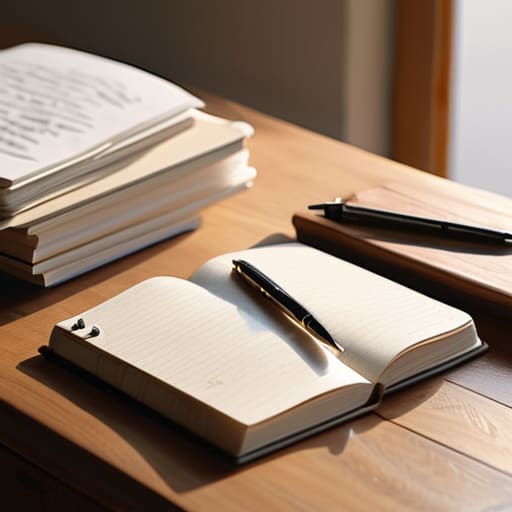
Look, I’ve spent way too many hours staring at color-coded Notion templates and “aesthetic” digital planners, thinking that if the interface looked pretty enough, my brain would suddenly start cooperating. It doesn’t. For me, those fancy setups are just another way to procrastinate. If you’re struggling with executive dysfunction strategies, stop trying to build a masterpiece and start building a list. I need my systems to be low-friction; if it takes more than three seconds to log a task, I’m probably not going to do it.
Instead of a complex ecosystem, I stick to the basics: a single, messy brain dump and a way to prioritize it. I’ve realized that most of my “productivity” issues are actually just time blindness solutions in disguise. I don’t need a beautiful calendar; I need a loud, obnoxious timer that tells me when I’ve been staring at a single email for forty minutes. Forget the $50 planners. Find a scrap of paper or a basic, no-frills app that actually works for you, rather than something that just looks good on a desk setup. If it doesn’t help you move from “thinking” to “doing,” it’s just digital clutter.
Solving Time Blindness Solutions Without the Panic
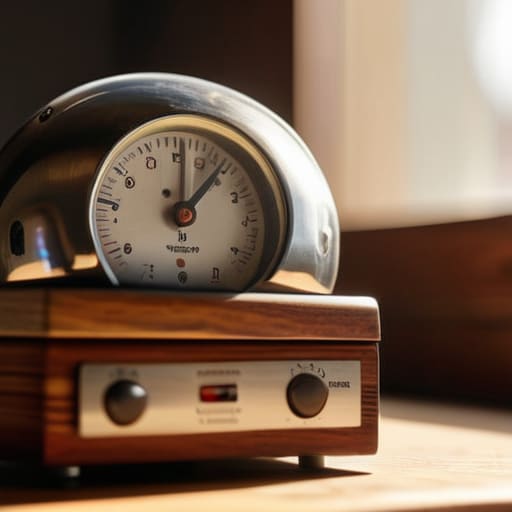
If you’re anything like me, you don’t just “lose track of time”—you effectively cease to exist in its dimension until a deadline hits and you’re suddenly in a state of pure, unadulterated panic. This isn’t a lack of willpower; it’s just how my brain handles time blindness solutions. I used to try and force myself to “just be more aware,” but that’s useless. Instead, I started using external cues to act as my brain’s external hard drive. I set loud, obnoxious timers for everything—even things like “getting ready” or “starting a load of laundry”—so the sudden noise snaps me out of a hyperfocus loop before I realize three hours have vanished.
Another thing that actually saves my sanity is the body doubling technique. I can’t tell you how many times I’ve sat staring at a spreadsheet for forty minutes, completely paralyzed by executive dysfunction, only to find that having a friend on a Discord call or even just sitting in a busy coffee shop makes the task feel doable. It’s not about being social; it’s about having that passive accountability to keep my brain from drifting into a rabbit hole of unnecessary distractions. It’s functional, it’s low-cost, and it actually works.
Stop Trying to 'Fix' Your Brain and Start Working Around It
- Stop the “All-or-Nothing” cycle by using micro-tasks. If a project feels like a mountain, your brain will shut down before you even start. Break it down until the task is so stupidly small it feels easy—like “open the laptop” instead of “finish the report.”
- Use body doubling to trick your brain into focus mode. If you can’t get started, hop on a Discord call with a friend or go to a coffee shop. Having someone else nearby doing their own thing creates a low-pressure accountability loop that keeps you from spiraling into a scrolling rabbit hole.
- Build a “Launchpad” by the door. My brain loses half its energy just looking for keys, wallet, or my multi-tool. Pick one specific spot—a tray, a hook, whatever—and if it’s not there, it doesn’t exist. Stop wasting your limited executive function on the morning scavenger hunt.
- Ditch the fancy apps and go analog for quick captures. Digital notifications are just distractions in disguise. Keep a cheap notebook or even just scraps of paper near you to dump those “random thoughts” that interrupt your workflow. Get them out of your head and onto the paper so you can get back to what you were actually doing.
- Embrace “Low-Dopamine” environments when you need to grind. If your desk is a mess of tech parts and half-dead herbs, your brain is going to want to fiddle with everything. Clear a tiny, functional workspace—just enough for your laptop and a drink—to minimize the visual noise that pulls you off track.
The Bottom Line: Stop Trying to "Fix" Your Brain and Just Build Systems
Forget the $50 planners and color-coded stickers; if your system takes more than five minutes to maintain, it’s a waste of your mental bandwidth.
Use external cues—like loud timers or visual countdowns—to bridge the gap between “I have time” and “I am actually out of time.”
Prioritize function over aesthetics; a messy, working system beats a beautiful, empty one every single time.
Stop Chasing Perfection, Start Building Systems
Look, we’ve covered a lot, and if you’re feeling overwhelmed, that’s actually a sign you’re paying attention. We talked about why those color-coded, $50 aesthetic planners are a total waste of your money and mental energy, and how to stop the panic cycles by actually managing your time blindness with tools that work. The bottom line is that productivity for ADHD isn’t about becoming a robot or having a perfectly curated desk; it’s about stripping away the friction that keeps you from getting things done. If a system feels like a chore, scrap it. If it doesn’t save you time or reduce your brain fog, it’s just more clutter in an already crowded head. Focus on the functional basics and ignore the rest.
At the end of the day, your brain is going to do its own thing, and that’s okay. Some days you’re going to crush your to-do list, and other days you’re just going to survive, and both are valid. Don’t let the “productivity influencers” make you feel like you’re failing just because your process looks messy or unconventional. You don’t need a life that looks good on camera; you need a life that actually works for you. Grab your multi-tool, fix what’s broken, and keep moving forward. You’ve got this.
Frequently Asked Questions
How do I stop the "all or nothing" cycle when I inevitably fail at a new system?
Look, I get it. You try a new system, miss two days, and suddenly feel like the whole thing is trashed so you just quit. That’s the “all or nothing” trap, and it’s a productivity killer. Stop treating your systems like glass sculptures—they aren’t that fragile. If you slip up, don’t scrap the whole plan. Just pick up where you left off. A messy system that’s 50% functional beats a perfect one that’s abandoned.
What are some low-cost ways to manage sensory overload when I'm trying to focus?
Look, you don’t need a $300 noise-canceling headset to stop a meltdown. If the office or your apartment is too loud, grab some cheap foam earplugs or even just some heavy-duty construction earmuffs from a hardware store—they’re way cheaper and work just as well. Also, dim the lights or swap your harsh overheads for a cheap desk lamp. Reducing visual noise is just as important as the sound. Keep it simple and functional.
How can I build a routine that doesn't feel like a soul-crushing chore every single morning?
Stop trying to build a “perfect” morning routine you saw on TikTok. Those 5 a.m. yoga and journaling marathons are a trap for ADHD brains. Instead, build a “low-friction” sequence. Pick three non-negotiable tasks—like brushing your teeth, grabbing coffee, and checking your calendar—and stack them. If you can’t do the full routine, do the bare minimum. The goal isn’t aesthetic discipline; it’s just getting your brain online without a meltdown.
Are there any specific tech tools that actually help with executive dysfunction instead of just being another distraction?
Look, most “productivity apps” are just shiny distractions in disguise. If an app has a million customization options, you’ll spend three hours tweaking the UI instead of actually working. Stick to the basics. I use a simple CLI-based todo list or a bare-bones markdown editor—no bells, no whistles, no dopamine loops. For timers, skip the aesthetic ones and use a physical kitchen timer or a basic Pomodoro web tool. If it doesn’t solve the problem in two clicks, delete it.