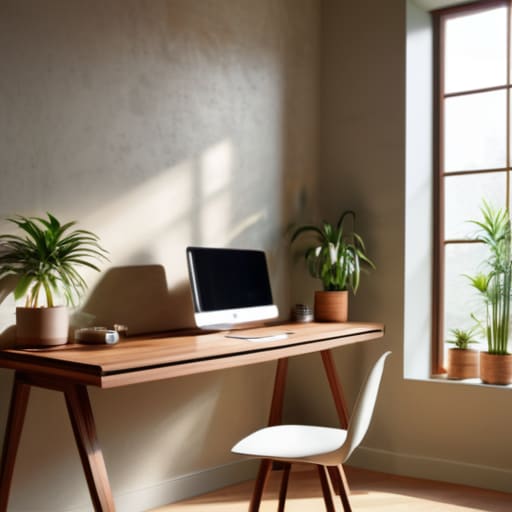
Stop wasting your hard-earned money on those “minimalist” desk setups you see all over TikTok—the ones with the $200 pastel mechanical keyboards and the perfectly curated, empty white desks. Honestly, if you’re trying to figure out how to build a productive workspace by following those aesthetic influencers, you’re doing it wrong. I spent my childhood in a tiny apartment where my “desk” was a wobbly kitchen table and a stack of old textbooks, and let me tell you, function beats aesthetics every single time. You don’t need a designer lamp to get your systems administration tickets cleared; you need a setup that doesn’t make you want to scream after two hours of deep work.
I’m not here to sell you a lifestyle or convince you that you need a total room makeover to be efficient. My promise is simple: I’m going to show you how to build a workspace that actually works for you without draining your bank account. We’re going to focus on the practical, gritty essentials—from cable management hacks that actually stay put to choosing gear that survives real-world use. Let’s stop chasing the trend and start building something actually useful.
Practical Home Office Layout Ideas That Save Time
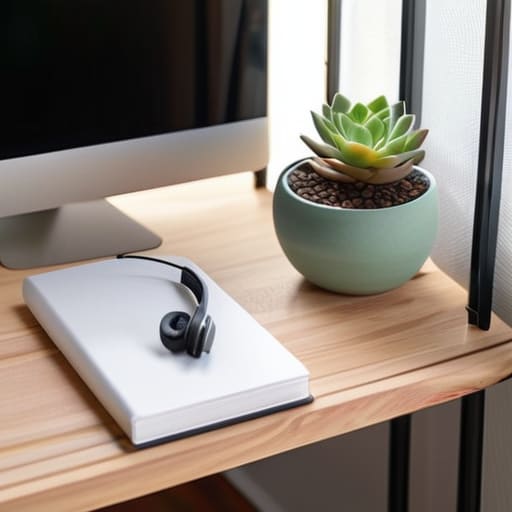
Look, you don’t need a massive dedicated room to make this work. If you’re like me and living in a space where your “office” is basically a corner of your bedroom, stop trying to force a massive executive desk into a tiny nook. Instead, focus on minimizing desk distractions by keeping your peripheral vision clear of clutter. If you can see your unwashed laundry or a pile of mail while you’re trying to troubleshoot a server issue, your brain is going to drift. I learned early on that if I can’t see it, I don’t have to deal with it. Use vertical space—get some floating shelves or a simple pegboard—to get your tools off the surface and into your line of sight only when you actually need them.
When it comes to placement, stop putting your desk facing a window if the glare makes you squint all day. That’s not “aesthetic,” it’s a headache waiting to happen. You want optimal lighting for productivity, which usually means a mix of natural light from the side and a decent task lamp so you aren’t straining your eyes by 4 PM. If you’re working in a cramped apartment, try to position your setup so your back is to the “living” area. Creating that physical boundary, even with just a cheap room divider or a bookshelf, helps your brain switch from “chill mode” to “work mode” instantly.
Ergonomic Office Setup Tips for All Day Stamina

Look, I’m going to be real with you: you don’t need a $1,500 designer chair to stop your lower back from screaming at you by 3 PM. Most of those “aesthetic” setups you see online are actually ergonomic nightmares. If you’re working from a kitchen chair or a couch, you’re basically begging for a repetitive strain injury. The goal isn’t to look like a tech influencer; it’s about minimizing physical strain so you aren’t spending your entire evening icing your neck. Start with your monitor height—if you’re looking down at a laptop all day, your posture is trashed. Prop it up on a stack of old textbooks or a cheap riser until the top third of the screen is at eye level.
Next, let’s talk about your hands and feet. Your elbows should be at a 90-degree angle, and your feet need to be flat on the floor. If your desk is too high and you’re reaching up, get a footrest—even a sturdy box will do. I also swear by optimizing your lighting for productivity to prevent those mid-afternoon headaches. Avoid harsh overhead lights that create glare on your screen; instead, aim for indirect natural light or a simple desk lamp that doesn’t turn your workspace into a cave. It’s about function, not vibes.
Stop Collecting Gadgets and Start Optimizing Your Flow
- Stop buying “aesthetic” cable management kits that cost fifty bucks. Grab some Velcro strips and zip ties from a hardware store. If your cords are a tangled mess under your desk, you’re going to spend half your mental energy just dealing with the visual clutter every time you sit down.
- Audit your desktop icons like you’re cleaning a server. If you have fifty random files scattered across your screen, you’re killing your focus. Create three main folders, use a search function, and keep your digital workspace as clean as your physical one.
- Lighting is either your best friend or your worst enemy. Forget those expensive smart bulbs that change colors to match your “vibe.” Just get a decent task lamp that actually hits your workspace without creating a glare on your monitor. If you’re squinting, you’re losing productivity.
- Don’t fall for the “everything must be minimal” trap. A completely empty desk is useless. Keep the tools you actually use—your multi-tool, a notepad, your favorite pen—within arm’s reach. If you have to stand up to find a pen, you’ve already broken your flow state.
- Optimize your peripherals for function, not RGB lighting. I don’t care if your keyboard glows in sixteen colors; I care if the switches are responsive and the layout makes sense. Spend your money on a mouse that actually fits your hand so you aren’t dealing with wrist strain by 3 PM.
The Bottom Line: Focus on Function Over Aesthetics
Stop chasing the “Pinterest perfect” desk setup; if your equipment doesn’t support your workflow or your posture, it’s just expensive clutter.
Prioritize ergonomics and layout logic—your setup should minimize physical strain and mental friction, not just look good in a photo.
Invest your limited budget into things that actually impact your output, like a decent chair or reliable tech, rather than trendy decor that does nothing for your productivity.
Stop Overthinking and Start Building
Look, we’ve covered a lot, but let’s strip it back to the essentials. You don’t need a $2,000 designer desk or a perfectly color-coordinated setup to be effective. You just need a layout that doesn’t make you feel trapped, a chair that won’t leave you with a permanent backache, and a system that keeps your most important tools within arm’s reach. Whether you’re squeezing a desk into a tiny corner of your apartment or setting up a dedicated room, the goal is the same: minimize friction. If your setup makes it harder to start your work, it’s failing you. Period.
At the end of the day, your workspace is a tool, not a trophy. Don’t get caught in the trap of “productive procrastination,” where you spend three weeks researching the perfect mechanical keyboard instead of actually finishing your projects. Your environment should serve you, not the other way around. Start with what you have, fix the things that actually hurt or slow you down, and keep iterating as you go. You don’t need perfection to be productive; you just need a space that works as hard as you do. Now, get off this tab and go get some actual work done.
Frequently Asked Questions
I’m working from a tiny studio apartment; how do I set up a workspace without it taking over my entire living area?
Look, I’ve lived in a shoebox apartment my whole life, so I get it. Don’t try to squeeze a full-sized desk into your living room if it kills your flow. Go vertical—use floating shelves or a wall-mounted fold-down desk to reclaim floor space. If you can’t do that, get a rolling cart for your tech and supplies. When the workday ends, tuck it away. If your workspace is always staring at you, you’ll never actually relax.
Is it actually worth spending the extra cash on a high-end ergonomic chair, or can I just fix up a cheap one?
Look, I get the urge to save cash, but don’t go cheap on the one thing supporting your spine for eight hours. You can DIY a cheap chair with a lumbar pillow or some foam, but it’s a band-aid, not a fix. If you can swing it, invest in a used high-end ergonomic chair from a liquidator. You get the professional build quality for a fraction of the price. Don’t trade your back health for a few bucks.
How do I manage cable clutter so my desk doesn't look like a tech graveyard?
Stop buying those overpriced, designer cable management boxes that just look like plastic clutter. You don’t need aesthetic, if you need function. Grab some heavy-duty Velcro ties—not those plastic zip ties that you’ll regret later when you need to move something—and a cheap under-desk cable tray. Bundle your power strips and excess cord length together out of sight. If you can’t see the “tech graveyard” under your feet, you’ll actually focus on the screen.
What are some low-budget ways to improve my lighting so I don't end up with a massive headache by 3 PM?
Stop wasting money on those overpriced “smart” light strips that just look cool in photos. If you’re getting headaches, your lighting is likely fighting itself. First, ditch the harsh overhead light—it’s a killer. Get a cheap desk lamp and position it so it bounces light off the wall instead of hitting your eyes directly. Also, if you can, move your desk near a window. Natural light is free and way better for your brain.
