
Stop buying those $40 linen-bound planners just because they look cute on a desk next to a matcha latte. Honestly, if you’re spending more time decorating your bullet journal with stickers than actually checking off tasks, you’re just performing productivity rather than actually being productive. I spent way too many years in college thinking a color-coded system would fix my chaotic life, only to realize that most of those “aesthetic” to do list tips are just expensive distractions designed to make you feel busy while you’re actually standing still.
I’m not here to sell you on a lifestyle of perfection; I’m here to show you how to manage a heavy workload without losing your mind. I’ve spent years troubleshooting complex systems at work and managing a tight budget in a tiny apartment, and I’ve learned that the best systems are the ones that are actually functional. In this post, I’m stripping away the fluff to give you real, battle-tested strategies that focus on efficiency and saving your energy. Let’s get into the stuff that actually works.
Ditch the Aesthetic Digital vs Paper to Do Lists
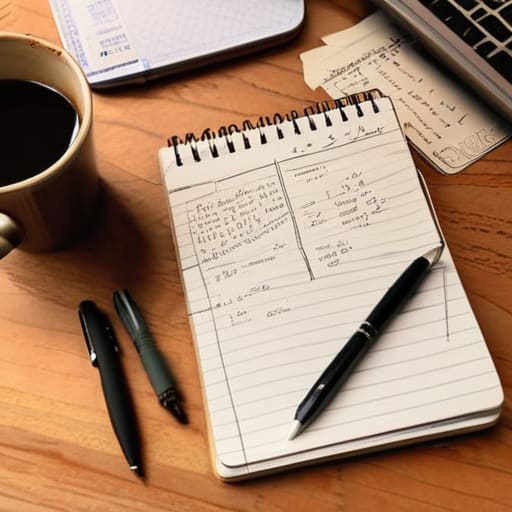
Look, I see those “studygram” posts every day—the $50 linen-bound journals, the perfectly color-coded highlighters, and the calligraphy that looks like it took three hours just to write “Groceries.” It’s exhausting. If you’re spending more time decorating your planner than actually finishing your tasks, you aren’t being productive; you’re just procrastinating with better stationery. When it comes to digital vs paper to do lists, the winner isn’t the one that looks best on an Instagram story, it’s the one that actually survives your chaotic Tuesday.
If you’re like me and constantly jumping between a terminal window and a physical workstation, digital tools are your best friend for sheer utility. Apps like Todoist or even a basic Notion setup allow for quick syncing and reminders that actually scream at you when a deadline is looming. But, if you find yourself getting lost in app rabbit holes, don’t sleep on a cheap, battered spiral notebook. There is a specific kind of mental clarity that comes from physically crossing something off a list. The key to effective daily planning strategies isn’t about finding the “perfect” medium; it’s about finding the one that doesn’t become another chore on your list. Pick one, stick to it, and stop overthinking the aesthetic.
Effective Daily Planning Strategies for Real Results

Look, if your daily plan looks like a novel, you’ve already lost the battle. I used to spend twenty minutes every morning “planning” only to realize I hadn’t actually accounted for the time it takes to eat or even just breathe. Stop trying to schedule every minute of your life. Instead, focus on prioritization methods for task lists that actually work, like the Rule of Three. Pick three non-negotiable tasks that must happen today. Everything else is just a bonus. If you try to tackle a list of twenty items, you’re going to end the day feeling like a failure, even if you checked off ten of them.
The real secret to effective daily planning strategies isn’t about adding more to your plate; it’s about aggressive subtraction. I treat my daily list like a server migration—if a task isn’t critical to keeping the system running, it stays in the backlog. Don’t fall into the trap of “productive procrastination,” where you clean your desk or organize your desktop icons just to avoid the actual hard work. If a task takes less than two minutes, do it immediately. If it’s bigger, break it down into tiny, manageable chunks so your brain doesn’t short-circuit the moment you look at it.
Stop Overcomplicating It: 5 Rules for a List That Actually Works
- Kill the “Mega-List” Mentality. If you have thirty items on a single list, you’ve already lost. You’ll look at it, feel overwhelmed, and end up scrolling on your phone instead of working. Pick your top three “non-negotiables” for the day. Everything else is just a bonus.
- Use Verbs, Not Vague Nouns. Writing “Project” on a list is useless; it’s too big and scary. Write “Email Sarah about the server logs” instead. Give your brain a specific, actionable command so you don’t waste mental energy trying to figure out where to start.
- Time-Block Your Real Life. A list without a schedule is just a wish list. Assign a rough time estimate to your tasks. If you know a task takes forty minutes, don’t try to squeeze it into a fifteen-minute gap between meetings. That’s how you end up feeling like a failure by 2 PM.
- Group Your “Admin” Tasks. Don’t let tiny, annoying chores like paying a bill or responding to a Slack message interrupt your deep work. Batch them. Set aside thirty minutes in the afternoon to knock out all the small, brainless stuff at once so they don’t clutter your headspace all day.
- The “Done” List is Your Best Friend. We spend so much time obsessing over what’s left to do that we ignore what we’ve actually accomplished. If you finish something that wasn’t even on your list, write it down anyway. It keeps the momentum going when the day feels like a slog.
The Bottom Line: Stop Planning, Start Doing
Forget the color-coded stickers and fancy apps; if your system doesn’t help you finish a task in under five minutes to set up, it’s just another way to procrastinate.
Prioritize based on impact, not just urgency, by picking your “non-negotiables” for the day so you don’t end up busy but totally unproductive.
Review your list at the end of the day to see what actually happened, then adjust for tomorrow—don’t just keep carrying over the same failed tasks like a digital weight.
Cut the Noise and Just Start
Look, we’ve covered a lot of ground, but let’s boil it down to the essentials so you can actually get back to your life. Stop obsessing over whether your list looks “Pinterest-perfect” and start focusing on whether it actually works for your brain. Whether you’re sticking to a rugged paper notebook or a streamlined digital app, the goal remains the same: reducing mental friction. We talked about ditching the fluff, choosing a method that fits your actual workflow, and using strategies that prioritize real impact over busywork. If your system feels like another chore on your plate, it’s broken, and you need to strip it back down to the basics until it feels functional again.
At the end of the day, a to-do list isn’t a trophy case for your achievements; it’s a tool to help you navigate a chaotic world without losing your mind. Don’t let a messy list or a missed task make you feel like you’re failing at life. Life is messy, your budget might be tight, and your time is always limited, but you can still manage the chaos if you stop trying to perform productivity for an audience. Grab your multi-tool, pick the most important task, and just get moving. You don’t need a perfect system to have a productive day—you just need to start.
Frequently Asked Questions
I have a million tasks; how do I actually decide what to prioritize without spiraling?
Stop the spiral. When everything feels urgent, nothing is. Forget that “Eat the Frog” nonsense if it just makes you freeze up; instead, use the Rule of Three. Pick exactly three things that must happen today to prevent a crisis. Everything else goes on a “Later” list. If a task takes less than two minutes, do it now and get it out of your brain. Don’t overthink it—just triage your life like a system crash.
Is it worth spending money on a fancy productivity app, or is a basic notes app enough?
Look, unless you’re managing a complex server infrastructure or a massive team, stop overthinking this. Fancy productivity apps are often just expensive distractions wrapped in pretty UI. If you’re paying $10 a month for features you never touch, you’re wasting money. A basic notes app or a simple text file is more than enough. If it doesn’t help you clear your queue faster, it’s just digital clutter. Stick to the basics.
How do I stop my to-do list from becoming a graveyard of unfinished tasks that just makes me feel guilty?
The reason your list feels like a graveyard is because you’re treating it like a wish list instead of a reality check. Stop adding twenty things when you only have the bandwidth for five. Use the “Rule of Three”: pick three non-negotiables for the day. Everything else goes on a separate “backlog” list. If a task keeps getting pushed to tomorrow, it’s either not important or you’re lying to yourself. Delete it or do it.
When does "planning" actually turn into procrastination?
Planning turns into procrastination the second you start “optimizing” instead of doing. If you’re spending two hours color-coding a spreadsheet or hunting for the perfect font just to avoid starting that actual project, you’re not being productive—you’re hiding. I call it “productive procrastination.” It feels like work, but it’s just a way to dodge the friction of real tasks. If your planning session takes longer than the task itself, stop. Just pick one thing and go.
