
Stop wasting your money on those slick, subscription-based productivity apps that promise to “revolutionize your workflow” but really just end up being another digital clutter pile. I see these gorgeous, color-coded templates all over my feed, and honestly? They’re a total scam for anyone who actually has work to do. Most people treat mind mapping like it’s some high-end aesthetic ritual involving expensive tablets and specialized software, when in reality, it’s just a tool to stop your brain from short-circuiting. If you’re spending more time picking the perfect shade of pastel blue for your branches than actually solving the problem in front of you, you’re doing it wrong.
I’m not here to sell you on a lifestyle or a fancy new app; I’m here to show you how to use mind mapping to actually clear the mental fog. I’ll show you how I use it to troubleshoot server errors or plan out my monthly budget without needing a degree in graphic design. We’re going to focus on the raw, messy, and completely functional ways to organize your chaos so you can stop staring at blank screens and start getting things done.
Mastering Visual Thinking Techniques for Faster Results
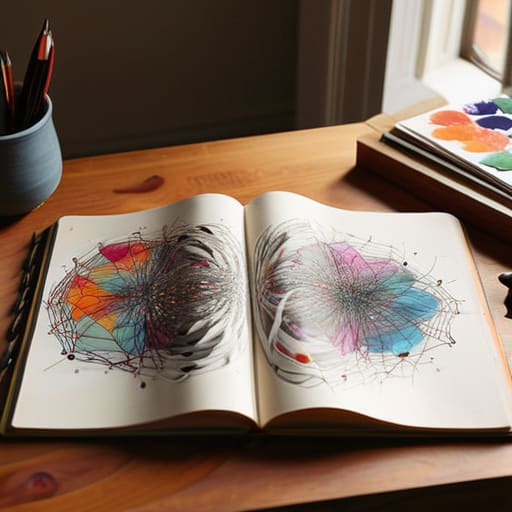
Look, you don’t need a fancy degree to get better at this; you just need to stop trying to force your brain into a linear list. Most of us try to solve problems by writing bullet points, but our brains don’t actually work in straight lines. That’s where visual thinking techniques come in. Instead of a rigid outline, try using the radiant thinking method. Start with your core problem in the center of the page and let your ideas explode outward like a web. It feels chaotic at first, but it mimics how your neurons actually fire, which helps you spot connections you’d totally miss in a boring spreadsheet.
If you’re staring at a mess of scribbles and feeling overwhelmed, you need to introduce some structure. I used to struggle with this until I started using cognitive organization tools to bridge the gap between a messy sketch and a finished plan. You don’t have to jump straight into complex concept mapping software if you’re not ready, but even just using different colors or symbols can act as a shorthand for your brain. The goal isn’t to make a piece of art; it’s to create a functional map that actually helps you navigate the chaos and get to the solution faster.
The Radiant Thinking Method Cutting Through Mental Clutter

Look, we’ve all been there: you’re staring at a project deadline, your brain feels like a browser with fifty tabs open, and none of them are loading. That’s where the radiant thinking method actually becomes a lifesaver. Instead of trying to force your thoughts into a linear, boring list—which is basically how we kill creativity—you start from a single central idea and let your thoughts explode outward like a starburst. It mimics how our neurons actually fire, making it one of the most effective visual thinking techniques for when you’re feeling completely overwhelmed.
When I’m troubleshooting a server issue or planning a budget, I don’t want a rigid outline; I want to see how everything connects. By using the radiant approach, you aren’t just making a pretty picture; you’re engaging in creative problem solving by seeing the hidden links between seemingly unrelated tasks. You don’t need expensive, bloated concept mapping software to do this, either. Honestly, just grab a cheap notebook and a pen. The goal isn’t to make it look “aesthetic” for an Instagram story; it’s to get the chaos out of your head and onto the page so you can finally stop spinning your wheels and actually start executing.
5 Ways to Stop Overcomplicating Your Maps and Actually Use Them
- Ditch the fancy software for a second. If you’re staring at a blank screen trying to find the “perfect” app, you’re just procrastinating. Grab a cheap notebook and a pen. Getting the initial chaos out of your head and onto physical paper is way faster for your brain to process when you’re in a rush.
- Stop writing full sentences. This isn’t a college essay. If you aren’t using single words or short phrases, your map is going to look like a wall of text that’s impossible to scan. Keep it to keywords so your eyes can jump from one idea to the next without getting stuck reading.
- Use color, but don’t make it a mess. I’m not saying you need a 64-pack of markers, but using different colors for different branches actually helps your brain categorize info instantly. If all your tasks are in black ink, they’re going to bleed together and you’ll miss the important stuff.
- Don’t aim for perfection on the first pass. Your first mind map is going to look like a disaster—and that’s fine. The goal is to dump the mental clutter, not to create a piece of art for your Instagram feed. You can always refine it later; just get the ideas out now.
- Connect the dots you missed. Once the map is done, look for the weird, unexpected links between branches. That’s where the actual solutions live. If a tech issue and a budget constraint are hitting you at once, draw a line between them. That’s how you find the most efficient way to fix both.
The Bottom Line: Stop Overthinking and Start Mapping
Forget about making your maps look pretty for Instagram; if the connections between your ideas don’t make sense to you, the map is useless.
Use mind mapping to dump your brain onto paper so you can stop using mental energy just trying to remember your to-do list.
Treat your maps as living documents that you actually use to execute tasks, not just another digital file to let collect virtual dust.
Stop Overthinking and Just Start
Look, we’ve covered a lot, from using visual techniques to speed up your workflow to using the radiant thinking method to clear out that mental junk drawer we all deal with. At the end of the day, mind mapping isn’t about making some beautiful, color-coded masterpiece for your Pinterest board; it’s about actually getting the information out of your head and onto something tangible. Whether you’re using a high-end tablet or just a scrap of paper you found on your desk, the goal is to stop the mental loop and start seeing the connections. If a method feels too complicated or takes more time than it saves, toss it out and simplify.
My advice? Don’t wait until you have the perfect setup or a dedicated workspace to try this. Grab a pen, find a flat surface, and just start drawing those branches. You don’t need to be an artist to be productive; you just need to be functional. Life is messy, your brain is chaotic, and your schedule is probably already too full, so use these tools to reclaim some of that lost headspace. Stop letting your ideas rot in your brain and start making them work for you.
Frequently Asked Questions
Do I actually need fancy software for this, or can I just use a scrap of paper and a pen?
Look, if you’re waiting for the perfect subscription to start, you’ve already lost the battle. Seriously, skip the fancy software. Most of those tools are just more digital clutter that distracts you from actually thinking. Grab a scrap of paper, a pen, and whatever’s nearby—even a napkin works. The goal is to get the chaos out of your head and onto something tangible. If it doesn’t save you time, it’s just a distraction.
How do I stop my mind maps from turning into a giant, unreadable mess of scribbles?
Look, I’ve been there. You start with one idea, and ten minutes later, your notebook looks like a crime scene. The fix? Stop trying to capture everything at once. Use a hierarchy. Start with your core concept in the center, then use thick lines for main branches and thinner ones for sub-details. If it’s getting too crowded, just stop. Draw a box around that cluster, call it a “module,” and start a new one nearby. Keep it modular, not messy.
Is this actually going to save me time, or am I just spending an hour drawing pretty circles instead of working?
Look, if you’re spending an hour picking out aesthetic highlighter colors, you’re failing. I’ve been there. Mind mapping isn’t an art project; it’s a data dump. Use a scrap piece of paper or a basic digital tool. The goal is to get the chaos out of your brain and into a structure so you can actually start executing. If it doesn’t take ten minutes or less, you’re procrastinating, not planning. Keep it messy and functional.
How do I know when a mind map is "done" and it's time to stop tweaking it and start executing?
Look, if you’re still obsessing over whether a branch should be blue or green, you’re procrastinating, not planning. A mind map is done when it stops being a “brainstorm” and starts looking like a checklist. If you can look at the map and immediately know your next three physical actions, stop drawing. Close the notebook, put the pen down, and actually go do the work. Perfection is the enemy of getting stuff done.
