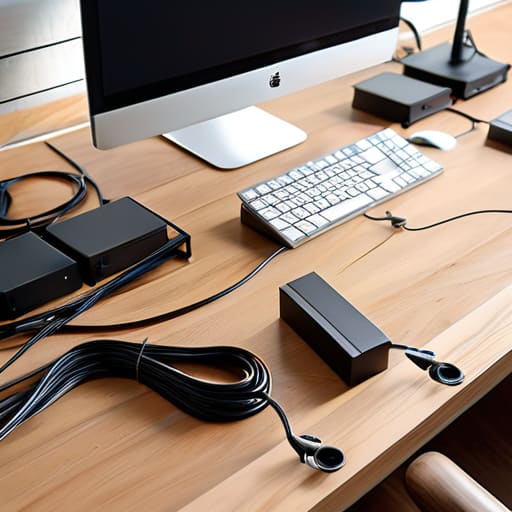
I was staring at the floor of my studio apartment last Tuesday, tripping over a literal nest of black spaghetti behind my desk, and I realized something: most of the “aesthetic” setups you see on TikTok are a total lie. You see those perfectly hidden, color-coordinated wires and think you need to spend eighty bucks on designer wooden boxes to achieve that look. Honestly? That’s just more clutter waiting to happen. If you’re looking for cable management diy tips that actually stick, stop looking for the prettiest solution and start looking for the most functional one. I grew up in a space where every inch mattered, and I learned early on that if a fix isn’t cheap and easy to maintain, it’s just a waste of my time.
In this guide, I’m stripping away the fluff and showing you how to reclaim your workspace without breaking your budget. We aren’t doing anything just for the “vibes”; we’re doing it so you can actually reach your power strip without a struggle. I’ll walk you through the cheap, high-utility tools I use every day—think zip ties, velcro strips, and repurposed hardware—to get your setup under control. This is about real-world organization that works for your life, not a curated photo shoot.
Guide Overview
Tools & Supplies
- Scissors or wire cutters for trimming ties
- Label maker or masking tape for identification
- Velcro cable ties (pack of 20-50)
- Cable management sleeves or raceways (1-2 units)
- Adhesive cable clips (1 pack)
- Power strip/Surge protector (1 unit)
Step-by-Step Instructions
- 1. First things first, you need to unplug everything and actually see the mess you’re dealing with. I know, it’s tempting to just try to tuck the existing tangle under the desk, but that’s how you end up with a fire hazard and a headache. Lay everything out on the floor so you can see which cords are actually being used and which ones are just dead weight from that monitor you haven’t touched in six months. If it doesn’t serve a purpose, toss it in a drawer or recycle it.
- 2. Grab a pack of velcro cable ties—and I mean the reusable ones, not the single-use plastic zip ties that you’ll regret later when you need to move something. Once you have your essential cables, group them by their destination. If three different wires are heading to the same power strip, bundle them together into one “trunk.” This makes the whole setup look way cleaner and, more importantly, it stops the spaghetti effect behind your desk.
- 3. Now, let’s talk about the power strip, because that’s usually the biggest source of chaos. Instead of letting it sit on the floor collecting dust and hair, I like to use heavy-duty mounting tape or even some simple screw-in brackets to attach it directly to the underside of my desk. Getting that bulky block off the ground immediately makes your floor easier to vacuum and keeps your feet from tripping over the main line.
- 4. For the cables that have to travel from the desk down to the wall outlet, don’t just let them hang in a loop. Use some adhesive cable clips to guide them along the legs of your desk or the edge of the tabletop. It’s a tiny bit of effort, but it keeps the lines looking straight and intentional rather than just a random mess dropping from the surface.
- 5. If you have a bunch of smaller peripherals like mouse wires or keyboard cables, use a little bit of electrical tape or those cheap little cord organizers to create a “service loop.” This means leaving just enough slack so that if you move your chair or adjust your setup, you aren’t putting constant tension on the ports. I’ve definitely fried a USB port before because I was too cheap to leave a little wiggle room.
- 6. Finally, do a quick “tug test.” Give your cables a gentle pull to make sure nothing is too tight and that your mounting solutions are actually holding. If you have any leftover gaps, don’t go out and buy some $40 designer cable box; just find a sturdy cardboard box or a plastic bin, cut a few holes in the side, and hide the remaining mess inside. It’s not about making it look like a Pinterest board; it’s about making it functional and out of sight.
Under Desk Cable Management Solutions That Save You Time
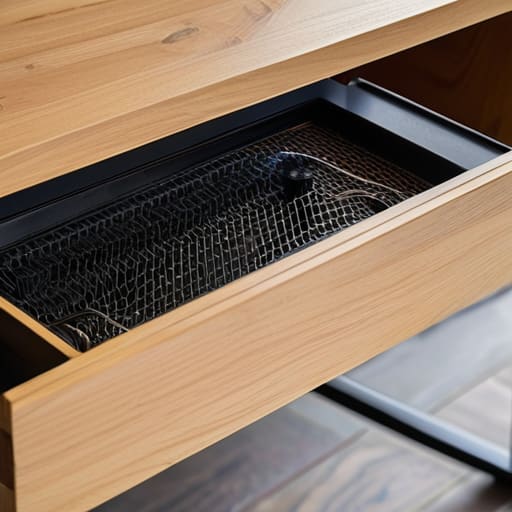
Look, if you’re like me and you’ve got a tangle of wires hanging off your desk like some kind of tech-jungle nightmare, you need to stop looking at the surface and start looking underneath. Most people obsess over how their desk looks from the front, but the real chaos is always lurking below. My go-to for under desk cable management solutions isn’t some fancy $50 magnetic track; it’s literally just a heavy-duty wire mesh tray or even a cheap metal spice rack screwed into the underside of your desk. It gives you a massive “catch-all” zone to dump your power bricks and excess cord length so they aren’t just dangling near your feet.
Once you’ve got a tray or a shelf in place, the real game-changer is hiding power strips and wires inside a dedicated cable management box or even just securing them to the tray with some industrial-strength Velcro. I hate using those plastic clips that peel off after a week—they’re a waste of money. Instead, use some leftover zip ties from an old PC build to bundle everything into neat, manageable tracks. This isn’t about making your setup look like a Pinterest board; it’s about making sure you don’t trip on a rogue charger or spend twenty minutes untangling a mess every time you need to move your computer.
Hiding Power Strips and Wires Without the Aesthetic Fluff
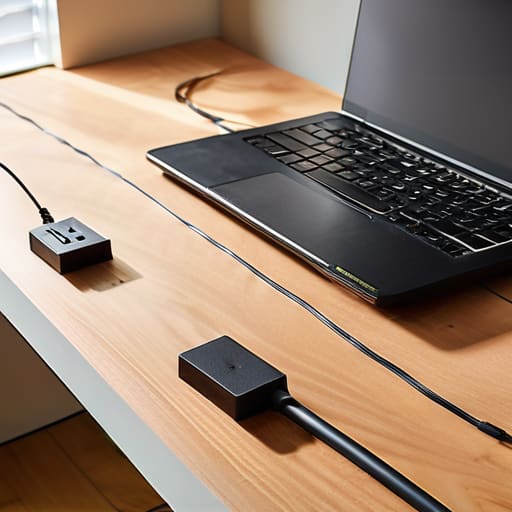
Look, I don’t care if your setup looks like a Pinterest board, but having a massive, dusty power strip sitting in the middle of your floor is a nightmare for cleaning and a total trip hazard. If you’re tired of tripping over cords every time you move your chair, stop looking at those expensive, decorative wooden boxes. Most of them are overpriced junk that just creates a fire hazard by trapping heat. Instead, try hiding power strips and wires by mounting the strip directly to the underside of your desk using heavy-duty command strips or even some simple mounting tape. It keeps everything off the ground and out of sight without costing you a dime.
If you have a cluster of wires coming from your monitor or PC that looks like a bird’s nest, don’t bother buying a designer organizer. Grab some cheap split loom tubing or follow a quick diy cable sleeves tutorial using old pantyhose or even just some fabric scraps and Velcro. It’s not going to look “magazine perfect,” but it bundles everything into one clean line so you can actually see your floor. The goal here is functional workspace decluttering, not an art project. If it keeps the mess contained and makes it easier to vacuum, it’s a win in my book.
My No-Nonsense Toolkit for Keeping Wires Under Control
- Stop buying those overpriced “cable management boxes” that just collect dust; grab a pack of heavy-duty Velcro strips instead. They’re cheaper, you can actually reuse them when you swap gear, and they don’t look like a plastic eyesore on your floor.
- Label everything. Seriously. Use a cheap label maker or even just some masking tape and a Sharpie to mark both ends of a cable. There is nothing more soul-crushing than crawling under a desk at 11 PM trying to figure out which black wire belongs to your monitor and which one is your printer.
- Use binder clips to create makeshift cord holders on the edge of your desk. Just clip them to the rim and thread your charging cables through the silver loops. It stops your phone charger from sliding onto the floor every single time you unplug it.
- Group your cables by function using zip ties, but don’t go overboard. If you tie them too tight, you risk damaging the internal wiring, and if you tie them too loose, they’ll just sag into a mess again. Aim for “organized but flexible.”
- Route your wires along the legs of your furniture. Use command hooks or even just small pieces of mounting tape to guide cables down the back of a desk leg. It keeps the wires out of your way and prevents them from becoming a tripping hazard in a small space.
The Bottom Line: Stop Overthinking It
Ditch the expensive “designer” cable boxes; a few cheap zip ties and some heavy-duty velcro strips will do 90% of the heavy lifting for a fraction of the cost.
Prioritize accessibility over perfection—if you can’t reach your power strip when you need to plug something in, your “clean” setup is actually just a poorly designed one.
Focus on the floor first; getting wires off the ground isn’t about looking like a Pinterest board, it’s about being able to vacuum without getting tangled in a mess.
Stop Chasing the Aesthetic and Start Clearing the Chaos
Look, at the end of the day, we aren’t trying to win a design award; we’re just trying to stop tripping over power cords and digging through a literal nest of wires every time we need to plug in a new device. Whether you went with the cheap zip tie method under your desk or finally tucked those ugly power strips into a functional box, the goal was the same: reducing mental clutter. You don’t need a $50 designer cable sleeve to make your setup better. You just need a few basic tools, some velcro strips, and the willingness to spend twenty minutes actually doing the work instead of just scrolling through Pinterest looking at setups you can’t afford.
My advice? Don’t let the idea of “perfect” stop you from being functional. Your workspace is going to get messy again—that’s just life—but once you have a system that actually works for your budget, maintaining it becomes second nature. Stop waiting for the perfect minimalist setup to fall into your lap and just grab your multi-tool and get started. You’ll be surprised how much more you can actually focus when you aren’t constantly fighting your own environment. Make it work, keep it simple, and move on to the stuff that actually matters.
Frequently Asked Questions
How do I keep my cables from overheating if I'm bundling them together under my desk?
Look, don’t just shove everything into one massive, tight plastic sleeve. If you bundle too many high-draw cables—like your PC power cord and monitor cables—into a single dense knot, they’ll trap heat, and that’s how you end up with degraded insulation or even a fire hazard. Leave some breathing room between bundles, use breathable mesh sleeves instead of solid plastic, and never wrap them tightly around metal desk legs. Keep it functional, not suffocated.
Is it actually worth buying velcro straps, or can I just use whatever I have lying around the house?
Look, if you’re staring at a pile of random twist ties or old rubber bands, just use them for now. But honestly? Buy the velcro straps. They’re cheap, and unlike zip ties, you won’t have to hunt for scissors every time you want to move a monitor or swap a keyboard. If a hack doesn’t save you time in the long run, it’s a waste. Get a roll of velcro; it’s a tiny investment for actual sanity.
What do I do if I have a bunch of different cable types that don't fit into standard organizers?
Look, standard organizers are great for uniform USB-C cables, but they suck when you’re dealing with a chaotic mix of thick power bricks, chunky HDMI cords, and those tiny, annoying proprietary chargers. Don’t force it—you’ll just end up with a tangled mess. Grab some heavy-duty Velcro wraps instead. They’re infinitely adjustable and won’t snap like plastic clips. If a cable is just too bulky for a sleeve, use a simple command hook on the underside of your desk to keep the weight off the floor. Keep it functional, not perfect.
How often should I actually be re-doing my cable setup to make sure it's still functional?
Look, I’m not going to tell you to do a full overhaul every month—that’s a waste of time. Honestly? Only touch it when something actually breaks or when you add a new piece of gear. If you’re constantly moving things around just for “vibes,” stop. Just do a quick five-minute check every few months to make sure nothing is getting pinched or tangled. If it works, leave it alone.
